
Height from brightness
Relief reads each pixel's brightness as height, up to 16 mm above the base.
Give a flat image real depth: brightness becomes height, outlines become solid shapes. Preview in 3D free and download an STL for 2 credits.
Runs in your browser. Your image is never uploaded.
Make a photo panel, see how AI 3D will work, or extrude a CAD outline.
Drop, paste or choose a logo, drawing or height map as PNG, JPG or WebP.
Relief turns brightness into height. Silhouette pushes the outline up to one thickness.
Save a binary STL in millimeters for 2 credits, ready for any slicer.
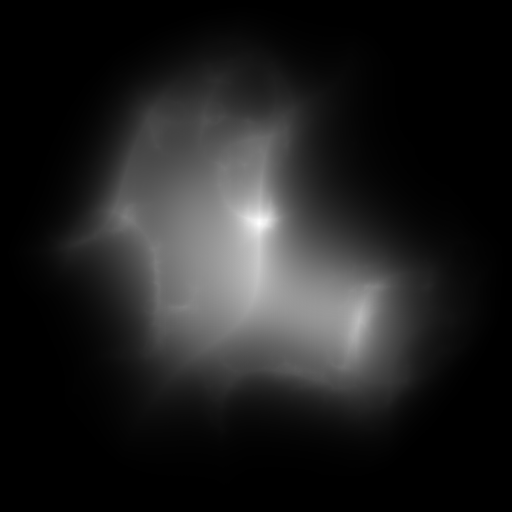
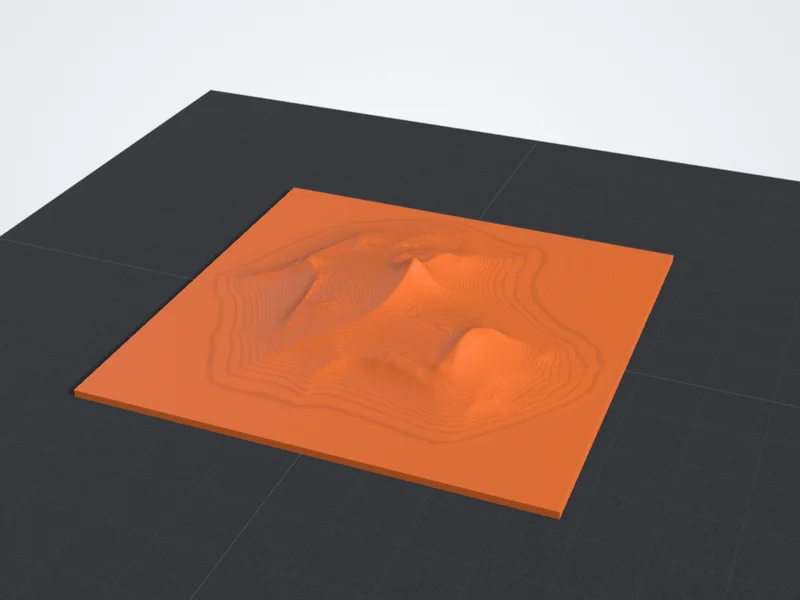
A grayscale height map where white means high, built as a relief with Raise light areas instead turned on.
Exact, predictable depth from a flat image, right in your browser.
Relief reads each pixel's brightness as height, up to 16 mm above the base.
Silhouette pushes the shape up to one even thickness and keeps holes open.
Turn on Raise light areas instead for height maps where white means high.
Set the longest side and read the width, depth, height, volume and grams of PLA.
A full model with sides and a back will come from AI 3D. It is not live yet.
Relief and silhouette run in your browser with no upload. Previews need no account.
Starting points for art, height maps and outlines.
Logos and drawings read well in this range. Height maps can go far taller: the terrain sample uses 14 mm.
Keeps a relief flat and stiff on the bed. Large plaques can use 3 mm or more.
Fine samples the image most densely, so thin strokes and small lettering stay sharp.
The default keeps anything darker than mid gray. Lower it to drop faint marks.
Where depth comes from, how outlines and AI differ, and the methods side by side.
A 2D image stores a width, a height and a color for every pixel. Depth is simply not there, so every 2D to 3D converter has to supply it from somewhere: from a rule applied to the pixels, from the outline of a shape, or from a model that has learned what objects usually look like. Which source you choose decides what you get back.
The rule-based way is a height map. Each pixel's brightness becomes a height, so by default dark areas rise off a base plate as a relief, or become thicker plastic in a lithophane. The fox badge loaded above shows it: the dark fur becomes the raised part of the badge. It is exact and predictable. A grayscale terrain map, where brightness already means elevation, comes out as a faithful landscape. A photo of a face does not, because there brightness means lighting, not distance.
Outline extrusion ignores shading. Every pixel darker than the cut-off becomes solid, the rest is removed, and the shape is pushed up to one even thickness, the way a cookie cutter or a cake topper works. Holes stay open and edges are traced as smooth curves, so Silhouette mode suits logos, lettering and clean drawings far better than photos. Lower the cut-off to drop faint marks, or raise it to keep softer gray areas.
AI reconstruction is the only route to a complete object. A model trained on many 3D shapes predicts the sides and back your image never showed and outputs a mesh you can print as a figurine. The result is a plausible guess, not a measurement, so check thin parts in your slicer, and scale it to the size you want, since a single image carries no real-world scale. Our AI 3D mode is not live yet. When it opens, each model will cost 25 credits on Basic, 30 on Pro or 35 on Ultra.
The three height map and outline methods run in your browser and export an STL sized in millimeters, 2 credits per download. Only AI 3D runs on a server, because it needs a large reconstruction model. Choose by the object you want to end up holding: a plaque, a lamp panel, a cut-out or a figurine.
Relief (height map)
Lithophane (height map)
Silhouette (outline)
AI 3D (reconstruction)
Answers about cost, how AI works, availability, photos and the best images.