FBX to STL Converter

Turn FBX models from Blender, Maya, 3ds Max or Mixamo into printable STL, sized in millimeters and standing upright.

Loading 3D preview
Drag to rotate

Converted in your browser. Files are never uploaded.

Next steps

Continue with your model

See the materials first, scale a figure for print, or check the STL.

How it works

How to convert FBX to STL

  1. 1

    Add your FBX files

    Drop one or more .fbx files from Blender, Maya, 3ds Max, Mixamo or an asset store, binary or ASCII, version 7.0 or newer. Embedded textures and animation can stay in the file; only the meshes are used.

  2. 2

    Check the print size

    The converter applies the unit saved in the FBX, so a 1.8 m character arrives at 1800 mm. Mixamo and Unreal Engine characters are usually in centimeters. Turn on Resize longest side and enter the height you want to print.

  3. 3

    Download the STL

    Get a binary STL standing upright on Z. Keep every mesh in one STL, or save one STL per object to print parts in different colors.

Example

What changes when you convert

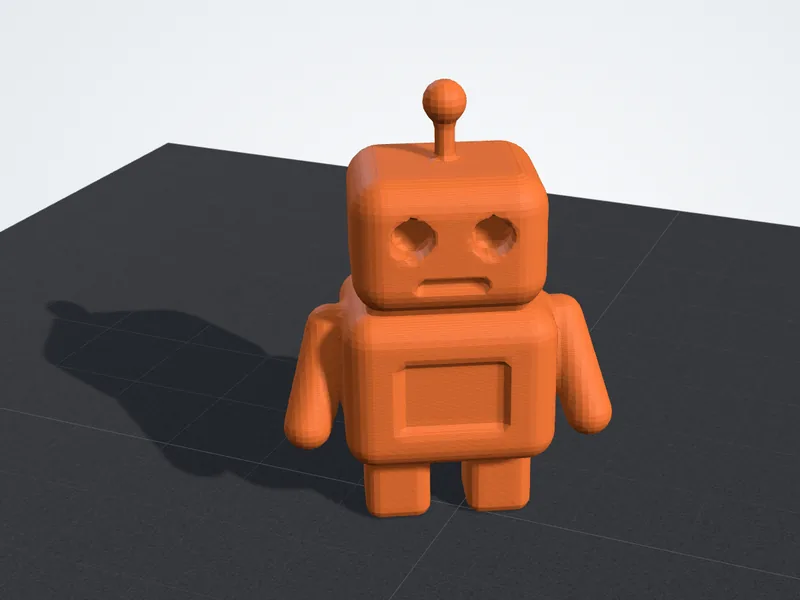
The sample FBX before and after: the shape stays, the colors do not.
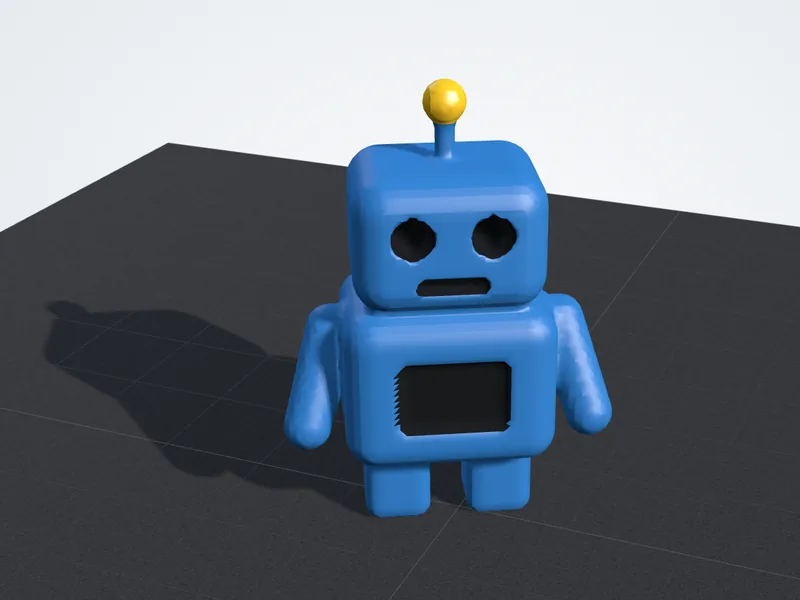
Little robot FBX model shown with its original blue, black and yellow materials
FBX modelOriginal materials, 3D preview on this site
The same little robot as STL geometry, shown in the preview color
STL for printingGeometry only, as saved to the STL, 3D preview
Features

Why use this FBX to STL converter

Built for game, film and character models that need to go to a printer.

Private, in your browser

Your .fbx is converted on your own computer and never uploaded.

One STL or one per object

Merge every mesh into one STL, or download a ZIP with a separate STL for each object.

Size shown before you download

The model sits on a build plate with its width, depth and height in millimeters or inches, plus its triangle count.

Batch convert

Add several FBX files at once and download all the STLs together in one ZIP.

Format comparison

What changes when FBX becomes STL

An FBX can carry a whole animated scene. A printer needs only the surface, at the right size and the right way up, and that is what the STL keeps.

Kept

  • Every mesh in the scene, with its position
  • Real size from the file's unit, converted to millimeters
  • Up direction, from Y-up or Z-up to the Z-up slicers use
  • Rigged characters, in their bind pose

Left behind

  • Materials, colors and textures
  • Animation, bones and blend shapes
  • Cameras, lights and curves
  • UV maps and vertex colors
FAQ

FBX to STL questions

Answers about size, rigged characters, FBX versions, holes and cost.

Why is my converted model so large?
FBX files keep real-world units, usually centimeters, and the converter honors them. A character modeled at human height becomes about 1800 mm tall, far bigger than most print beds. Turn on Resize longest side and type the size you want, such as 120 for a 12 cm figure.
Can I print a rigged or animated character?
Yes, in its bind pose, the T-pose or A-pose it was rigged in. Animation is ignored. To print a different pose, pose the character in Blender, apply the Armature modifier and export the FBX again.
Which FBX files can it read?
Binary and ASCII FBX from version 7.0 on, which covers current exports from Blender, Maya, 3ds Max, Cinema 4D and Mixamo. Files saved in the old 6.x format need to be exported again as FBX 2014 (7.4) or newer. Blender's File, Export, FBX writes binary FBX 7.4.
Why does my STL have holes or extra pieces?
Game and character meshes are built to look right on screen, not to be solid. Eyes, teeth and clothing are often separate shells, and necks or sleeves may be left open. Open the file in the FBX viewer to see the watertight result, then repair it in Blender or your slicer.
Is the FBX to STL converter free?
Yes. It runs in your browser with no sign-up and no limit, and your FBX is never uploaded, so unreleased game assets and client work stay on your device.