
Private, in your browser
Your .gltf or .glb is converted on your own computer and never uploaded. Files up to 300 MB are accepted.
Bring .gltf and .glb models into programs that read OBJ but not glTF. Each mesh becomes a named object, and the file never leaves your computer.
Converted in your browser. Files are never uploaded.
Inspect the glTF first, check the OBJ, or make a print file from the same scene.
Use a .gltf with embedded data, or a .glb. Draco and meshopt compressed meshes are decoded in your browser.
Keep every mesh in one OBJ as separate named objects, or save one OBJ per object in a ZIP.
The OBJ is in millimeters and Y-up. If your program works in meters, import it at a scale of 0.001.
All four meshes carry over, but the colors stay behind in the glTF.
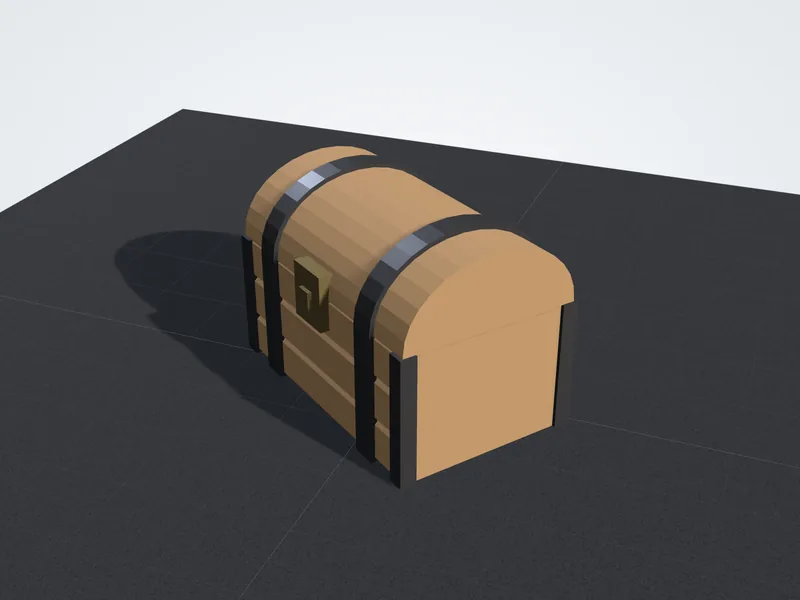
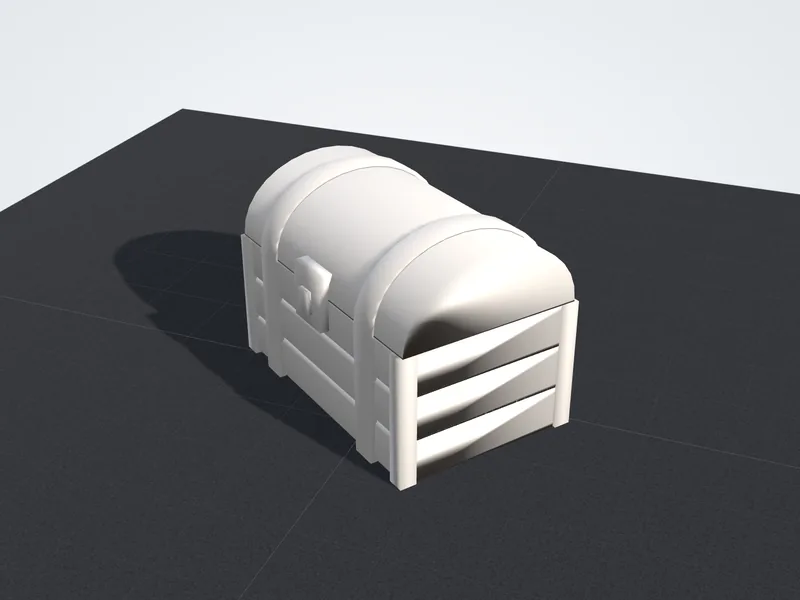
Built for bringing glTF scenes into modeling, sculpting and CAD programs.
Your .gltf or .glb is converted on your own computer and never uploaded. Files up to 300 MB are accepted.
Vertices that share a position are welded, so every object imports as one editable mesh.
Add several .gltf and .glb files at once and download every OBJ together in a single ZIP.
Set the longest side in millimeters when a scene arrives life size or far too small.
OBJ is a plain-text mesh format that almost every 3D program can open. The converter writes clean geometry and leaves glTF's real-time extras behind.
The OBJ opens almost anywhere, but a few import settings decide whether it looks right.
The file is in millimeters. In a program that works in meters, import at a scale of 0.001 or the model arrives 1000 times too big.
The file is Y-up. Keep your importer's default Y-up setting and change it only if the model arrives lying down.
Normals are smooth. Use Shade Flat or Auto Smooth on hard-surface models whose flat faces look soft.
Each glTF mesh becomes a named object, with spaces turned into underscores. Use the names to select and hide parts.
Format differences, what the OBJ contains, units, shading and file types.
All three formats store triangle meshes, but they were made for different jobs. glTF, from the Khronos Group, delivers finished scenes to real-time viewers, with PBR materials, embedded textures, skeletons and animation in one package. OBJ, from Wavefront Technologies, is the long-standing interchange format that nearly every modeling, sculpting and CAD program can import. STL is the 3D printing format and stores bare triangles.
Converting glTF to OBJ makes sense when the program you need does not read glTF, or when you want a simple text file you can inspect and edit. If the model is headed for a game engine or a web page, keep the glTF.
Materials
Textures
UVs and normals
Animation
Units
Typical use
The converter writes one object, an o line, per glTF mesh, named after the mesh or its node, followed by its vertices, smooth vertex normals and triangle faces. Vertices that share a position are merged, so each object is a connected mesh rather than a pile of loose triangles, and node transforms are applied, so parts keep their place in the scene.
It does not write UV coordinates or a .mtl material file, and the normals are recalculated rather than copied from the glTF. That keeps the file clean for modeling, sculpting and print preparation. If you need the textures in your OBJ, import the glTF into Blender and export OBJ from there with materials turned on.
glTF is always in meters. OBJ has no unit field, and this converter writes millimeters, so a character 1.8 m tall comes out 1800 units tall. Blender reads one OBJ unit as one meter, so set Scale to 0.001 in its OBJ import options to get the original size.
The axes stay as glTF had them: Y up and the front facing +Z. That is what Blender's OBJ importer, game engines and most viewers expect, so the model arrives standing. The converter also centers the model and rests its lowest point on the ground plane, so it may sit away from the original scene origin.
Because the normals are recalculated as smooth normals, hard-surface models such as crates, weapons and buildings can look soft or show dark gradients across flat faces after import. The geometry is unchanged; only the shading differs.
In Blender, select the object and use Shade Flat, or Shade Auto Smooth to keep curves smooth while sharp corners stay crisp. If the import added custom normals, use Clear Custom Split Normals Data first, then apply the shading you want.
A .gltf is a JSON file that describes the scene, and its geometry lives in a binary buffer. Exporters either embed that buffer in the JSON as base64 text, giving one self-contained file, or write it next to the JSON as a .bin file with the texture images saved separately. A .glb packs everything into a single binary file.
This glTF converter reads single files, so it opens .glb files and self-contained .gltf files. If yours came with a .bin file, re-export it from Blender with Format set to glTF Binary (.glb), or pick the GLB download on Sketchfab, then convert that file.
Answers about .gltf and .glb, materials, scale, .bin files and cost.