AI Image to 3D Generators Compared for 3D Printing (2026)
Hunyuan3D, TRELLIS.2, Rodin, Meshy, Tripo and Hi3D compared for 3D printing: STL export, textures, free tiers and price per model, checked October 2026.
 By ImgToSTL Team
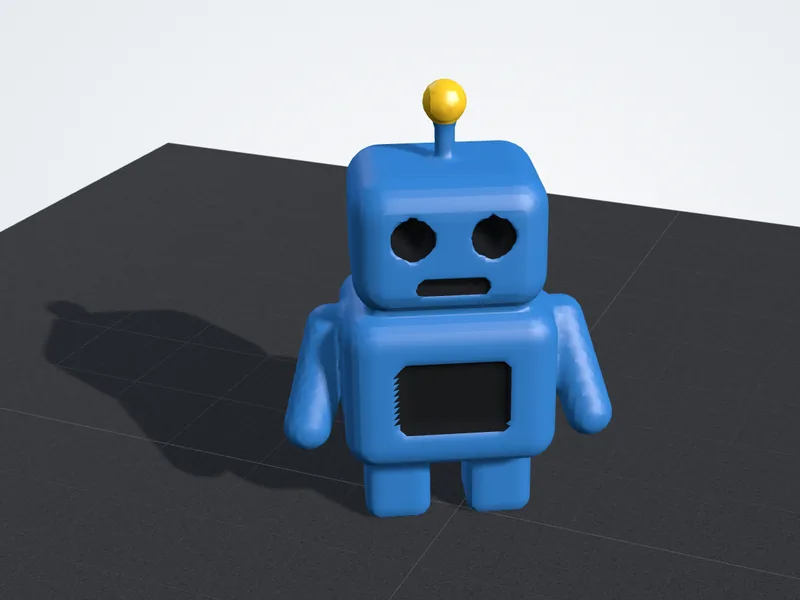
Checked October 17, 2026. Every price, free allowance, license and export format below comes from the vendor's own website or documentation on that date. These change often, so read this as a snapshot, and check the vendor's page before you pay.
Judge an AI 3D generator by its demo reel and you are judging it as a game artist would: crisp textures, tidy topology, a model ready to animate. Send the same model to a 3D printer and the priorities flip. The texture is gone the moment you slice a one-color print. What is left is the mesh, and four questions about it:
- Can you get it out as STL, or as a file your slicer opens?
- Is it a closed solid?
- Can you set its size in millimeters?
- Will its thinnest parts survive a 0.4 mm nozzle?
This post compares the image to 3D engines worth trying for a printable model, judged on those questions.
Disclosure: ImgToSTL, the site you are reading, runs three of these engines: Tencent's Hunyuan3D v3.1 in its Rapid and Pro versions, and Microsoft's TRELLIS.2. We list ourselves alongside the others, with our prices, and with a section on when you should use something else.
At a glance
| Engine | Made by | Input | Texture | Output files | Price per model or free tier | Best for printing |
|---|---|---|---|---|---|---|
| Hunyuan3D v3.1 Rapid | Tencent | Photo or text | None, as we run it | GLB or OBJ from Tencent; STL, OBJ, GLB here | 25 credits here (about $1.65) | Cheap one-color prints |
| Hunyuan3D v3.1 Pro | Tencent | Photo, plus extra views | Yes, PBR optional | GLB, OBJ, STL optional from Tencent; STL, OBJ, GLB here | 35 to 65 credits here (about $2.31 to $4.29) | Better hidden sides from back and side photos |
| TRELLIS.2 | Microsoft | One photo | Yes, PBR | GLB; STL, OBJ, GLB here | 25 to 35 credits here (about $1.65 to $2.31); no per-model cost on your own 24 GB GPU | Complex shapes, open weights |
| Rodin Gen-2.5 | Hyper3D (Deemos) | Photo or text | Yes | STL, OBJ, FBX, GLB, glTF, USDZ | Generate free, pay to keep; Creator $30 a month for about 60 models | Native STL, preview before paying |
| Meshy 7.1 | Meshy | Photo or text | Yes, optional | STL, 3MF, OBJ, FBX, GLB, USDZ | Free: 100 credits a month; Pro $20 a month for 1,000 credits | A free tier to test, 3MF |
| Tripo H3.1 | Tripo | Photo or text | Yes, optional | STL, 3MF, OBJ, FBX, GLB, USD | Free: 200 credits a month, non-commercial; Pro $20 a month for 3,000 credits | Low API price, 3MF |
| Hi3D | Hi3D (formerly Hitem3D) | Photo | Yes | STL, 3MF, OBJ, GLB, USDZ; reliefs as depth maps | Free: 100 credits once, up to 10 models, public | Print tools for splitting and multicolor, reliefs |
How we turn our credits into dollars: AI models here are paid in credits, and the dollar figures assume the smallest one-time pack, $9.90 for 150 credits, or 6.6 cents a credit. That makes 25 credits about $1.65. Larger packs and monthly plans bring the price per credit down.
Hunyuan3D v3.1 (Tencent)
Hunyuan3D is Tencent's image and text to 3D family. On Tencent Cloud's API, version 3.0 is the default and 3.1 is the newer option. It comes in a Rapid and a Pro version, and both can produce textures and PBR materials.
Strengths for printing:
- It can generate geometry only, with no texture, which is all a one-color print needs.
- The Pro version accepts extra views of the same object. Tencent's API takes up to eight for 3.1 (front, back, left, right, top, bottom and two front corners), so the side the camera never saw is no longer a pure guess.
Limits:
- Tencent's API returns GLB and OBJ by default; STL is an optional extra format.
- No 3.x weights have been released, so you cannot run this version yourself. The open versions go up to Hunyuan3D 2.1, which needs about 29 GB of GPU memory for shape and texture together, and its community license excludes the EU, the UK and South Korea.
- Tencent announced 20 free generations a day on its own web app in November 2025. We could not confirm the current terms without an account.
Price on Tencent Cloud's international API: 200 free credits for a new user, then 1,000 credits for $15 or $0.02 a credit pay as you go. A textured Pro model is 25 credits, about $0.38 to $0.50; a Rapid model is 15.
On ImgToSTL: Image to 3D Pro runs Hunyuan3D v3.1 Rapid without texture for 25 credits (about $1.65). Ultra runs Hunyuan3D v3.1 Pro with texture for 35 credits (about $2.31), plus 15 for back, left and right photos and 15 for PBR, so 65 credits (about $4.29) at most. Text to 3D costs 25 credits for Fast and 40 for Pro, plus 15 for PBR. All of it lives on the AI 3D model generator.
TRELLIS.2 (Microsoft)
TRELLIS.2 is Microsoft's open image to 3D model: about 4 billion parameters, with a paper published in December 2025. It turns one image into a GLB with PBR materials at a resolution of 512, 1024 or 1536.
Strengths for printing:
- Microsoft designed it for complex shapes, including open surfaces, sharp edges and enclosed inner parts.
- The code and weights are public. With an NVIDIA GPU of 24 GB or more you can run it yourself at no cost per model; Microsoft has tested it on Linux only.
- Microsoft hosts a free demo on Hugging Face, which runs within Hugging Face's daily GPU allowance.
Limits:
- One photo only, so the hidden side is always a guess.
- The demo gives you a GLB, which you then convert to STL; our GLB to STL converter does that for free in your browser.
- The license is unclear. The GitHub repository and the Hugging Face model card say MIT. Microsoft's project page says the model is provided solely for academic and research purposes and not for commercial use. We run TRELLIS.2 through fal, whose model page lists it for commercial use. If you plan to sell prints, read these pages yourself.
On ImgToSTL: TRELLIS.2 online, and the AI mode of image to 3D model, cost 25, 30 or 35 credits at 512, 1024 or 1536 (about $1.65, $1.98 or $2.31), with no GPU or install.
Rodin Gen-2.5 (Hyper3D)
Rodin is the model behind Hyper3D, and Gen-2.5 is its current generation, documented for the API in May 2026. On the website you choose an effort level, from Extreme-Low at about 4 seconds to Extreme-High at about 80 seconds.
Strengths for printing:
- STL is a native export, next to FBX, OBJ, GLB, glTF and USDZ. Nothing to convert.
- You can generate and preview for free, and only spend credits when you confirm a result you want to keep.
Limits:
- On the free plan, credits cost $1.50 each, and the free plan does not include the "unlimited export and any use" rights that paid plans list.
- Creator costs $30 a month, or $24 a month billed yearly, for 30 credits, which Hyper3D estimates at about 60 models. That works out to about $0.50 a model; this is our arithmetic, not a published price.
- API access needs the Business plan, $120 a month or $96 a month billed yearly. Through fal, Gen-2.5 costs $0.40 a generation and Gen-2.5 Fast $0.10.
- No 3MF export.
Meshy 7.1
Meshy released version 7.1 for image to 3D in September 2026.
Strengths for printing:
- Both print formats are on the list: Meshy's docs name STL and 3MF next to GLB, FBX, OBJ and USDZ.
- A free plan to test with: 100 credits a month, under a CC BY 4.0 license that allows commercial use with attribution.
Limits:
- Free downloads are capped at 10 models a month, and only from the older Meshy 6 Lite model.
- Pro is $20 a month for 1,000 credits, which Meshy says covers up to 100 assets. Its own docs list 20 or 25 credits for an image to 3D job, depending on the page.
- The most expensive API here: on fal, Meshy 7.1 costs $0.80 a model without texture and $1.20 with it.
Tripo H3.1
Tripo's current model is H3.1, called tripo-v3.1 in its API.
Strengths for printing:
- Exports STL and 3MF, plus USD, FBX, OBJ and GLB, and Tripo describes the result as ready for 3D printing.
- A cheap API: one credit is $0.01, and an untextured image to 3D model is 20 credits, $0.20. The same model costs $0.20 on fal.
Limits:
- The free plan gives 200 credits a month, which Tripo puts at about 13 models, but free models are public and for non-commercial use, and free exports are limited to 15 a month from the older H2.5 model.
- Pro is $20 a month for 3,000 credits. In the web app a model costs 25 credits, plus 10 for texture.
Hi3D (formerly Hitem3D)
Hi3D is the most print-minded of the vendor apps.
Strengths for printing:
- Exports STL, 3MF, OBJ, GLB and USDZ.
- Has tools to split a model for printing and to prepare multicolor prints.
- Has a separate relief tool that makes a depth map from a photo instead of a full 3D object, which suits carved panels and wall art better than a full model.
Limits:
- The free plan is 100 credits once, up to 10 generations, and free models are public under CC BY 4.0; paid plans are private and allow commercial use. We could not read the dollar prices of the paid plans.
- Its API charges $0.02 a credit: a full model at 2048 quality is 65 credits ($1.30), and a relief depth map is 10 credits ($0.20). On fal, the relief model returns a depth map image, not an STL, so you still have to turn it into a mesh. How to make a depth map from a photo covers that step.
What ImgToSTL charges, and what you get
- Image to 3D Pro (Hunyuan3D v3.1 Rapid, untextured): 25 credits, about $1.65.
- Image to 3D Ultra (Hunyuan3D v3.1 Pro, textured): 35 credits, about $2.31. Back and side photos add 15 credits, PBR materials another 15.
- Text to 3D: 25 credits for Fast (untextured), 40 for Pro (textured), plus 15 for PBR.
- TRELLIS.2: 25, 30 or 35 credits at 512, 1024 or 1536 resolution.
Every finished model downloads as STL, OBJ and GLB at no extra cost, with the STL and OBJ scaled to the height you type in millimeters. A job usually takes one to three minutes. Credits are taken when it starts; if it fails on our side, they come back automatically, but images that break the content rules or cannot be read are not refunded. Models stay in your account for 30 days, so download what you want to keep.
It is not free. New accounts get 10 credits, which cover 5 STL downloads from our flat image tools but not an AI model, since the cheapest AI job is 25 credits. Per model, we cost more than calling these engines through an API yourself. What the difference buys is no API keys or code, three engines in one place, print-ready STL in millimeters, automatic refunds when a job fails on our side, and the relief, lithophane and cut-out tools next to them.
When not to use us
- You want to try AI 3D a few times, for yourself. Meshy's and Tripo's free plans, Rodin's free generation and Microsoft's TRELLIS.2 demo cost nothing to try. Our cheapest AI model is 25 credits.
- You are comfortable with an API key and a little code. Per model, Tripo at $0.20, Rodin Gen-2.5 Fast at $0.10 and Hunyuan3D Rapid at $0.225 on fal are all much cheaper than our $1.65.
- You have a 24 GB NVIDIA GPU on Linux. Run TRELLIS.2 yourself, after reading its license.
- You want 3MF, split parts or multicolor print prep. Hi3D, Meshy and Tripo export 3MF, and Hi3D has print tools. We export STL, OBJ and GLB only.
- You want game assets. We only generate and export. There is no retopology, rigging or texture editing here.
- You want a relief, a sign or a lithophane. That does not need a full 3D model. Our flat tools build those in your browser, with a free 3D preview and 2 credits per STL download, and a depth map handles carved photos.
- The part has to fit something. AI guesses dimensions. Use CAD.
Before you print any of them
Whichever engine made it, treat an AI model as a first draft:
- Set the size on purpose. A photo has no scale. Type a height in our download panel, or scale uniformly in the slicer.
- Thicken or drop fragile parts. Fingers, whiskers, antennas and thin blades break or never print on a 0.4 mm nozzle. Print larger, or thicken them in a mesh editor.
- Give it a flat base. Cut 1 to 2 mm off a rounded bottom with the slicer's cut tool.
- Plan supports. The back, the chin and the underside of arms are guesses, and they usually overhang.
- Check that the mesh is closed before you slice.
How to 3D print an AI generated model walks through each of these steps.
Which one should you use?
- A one-color figurine at the lowest price on our site: Hunyuan3D Rapid, our Image to 3D Pro, for 25 credits.
- You can photograph the back and sides of the object: Hunyuan3D Pro with extra views, our Ultra tier.
- A complex shape, or an open model you may later run at home: TRELLIS.2.
- STL straight from the vendor, and a look before you pay: Rodin Gen-2.5.
- Free testing, with attribution: Meshy's free plan. Free testing for personal use: Tripo's free plan.
- 3MF, split parts or multicolor prep: Hi3D.
- Hundreds of models from your own code: an API, such as Tripo's or Rodin Gen-2.5 Fast on fal.
- A carved photo, a plaque or wall art: a depth map or a relief, not a full 3D model.
- An STL in millimeters with no keys, code or conversion: the AI 3D model generator, image to 3D model or TRELLIS.2 online here.
FAQ
Which AI image to 3D generator is best for 3D printing?
There is no single winner. For a one-color print, untextured geometry is what matters, so a cheap geometry-only run (Hunyuan3D Rapid, or Tripo and Rodin through their APIs) is usually the best value. Extra views (Hunyuan3D Pro) help the most when you can photograph the object from several sides. Native STL or 3MF export (Rodin, Meshy, Tripo, Hi3D) saves a conversion step.
Can I get an STL from an AI generator for free?
Generating for free is easy; downloading for free is limited. Meshy's free plan allows 10 downloads a month from an older model, Tripo's allows 15 non-commercial exports from an older model, and Rodin charges to keep a result. Microsoft's TRELLIS.2 demo gives you a GLB at no cost, within Hugging Face's daily GPU allowance, and our GLB to STL converter turns it into an STL for free. ImgToSTL's own AI models are not free.
Do I need textures for 3D printing?
Not for a one-color print. The slicer only reads the shape, so an untextured model prints the same as a textured one and costs less. Textures matter only if you want the model on screen, or as a painting reference.
Can I sell prints of AI generated models?
It depends on the engine and the plan. Meshy's free models are CC BY 4.0 (credit Meshy), Tripo's free models are non-commercial, Rodin's free plan lacks the "any use" rights of its paid plans, and Hi3D's free models are public under CC BY 4.0. Models you generate on ImgToSTL are yours to print and sell, but for TRELLIS.2 read the license note above, because Microsoft's own pages disagree.
What happens if a generation fails?
On ImgToSTL, credits come back automatically when a job fails on our side, such as a server error or a job that could not start. Images rejected under the content rules, or that cannot be read, are not refunded. Tencent Cloud's pricing page says failed tasks are not charged there either. For other vendors, check their own rules.
Sources (checked October 17, 2026)
- Tencent: Hunyuan3D API pricing, international, Hunyuan3D API pricing, China, Hunyuan3D API reference, web app announcement, November 2025, Hunyuan3D 2.1 on GitHub
- Microsoft: TRELLIS.2 on GitHub, model card, project page, online demo
- Hyper3D: pricing, Rodin Gen-2.5 API, terms
- Meshy: pricing, export formats, API pricing, changelog
- Tripo: pricing, image to 3D, credits, API pricing
- Hi3D: hi3d.ai
- fal model pages: Hunyuan3D v3.1 Pro, Hunyuan3D v3.1 Rapid, TRELLIS.2, Rodin Gen-2.5, Rodin Gen-2.5 Fast, Meshy 7.1, Tripo H3.1